One terminal. Dispatch, records, reports, warrants, live map.
A police CAD/MDT built as a single in-world computer for QBCore FiveM — a boot sequence, a dock, draggable windows and a live clock, sitting on either a tablet you carry or a laptop on a desk. Server-authoritative, config-driven, and no dependency beyond the framework you already run.
Try it, right here
This is the real interface — the same HTML, CSS and JavaScript that ships to players — running in your browser against sample data. Click the dock, work a call, look up a plate, zoom the map.
Sample data only. Nothing here talks to a server, and nothing you do is saved anywhere.
What's in it
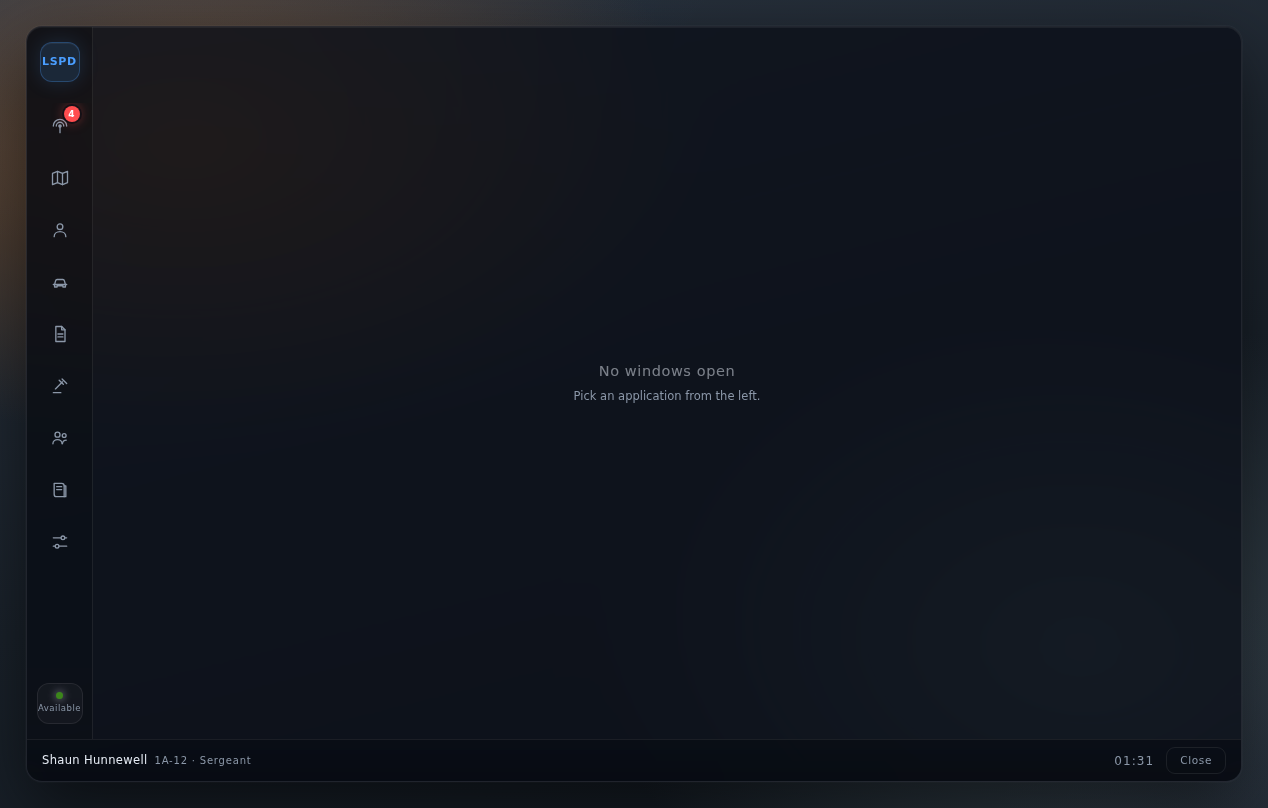
Eight applications in one window manager. Every one of them reads from the server, and every one is gated by job, grade and duty status.
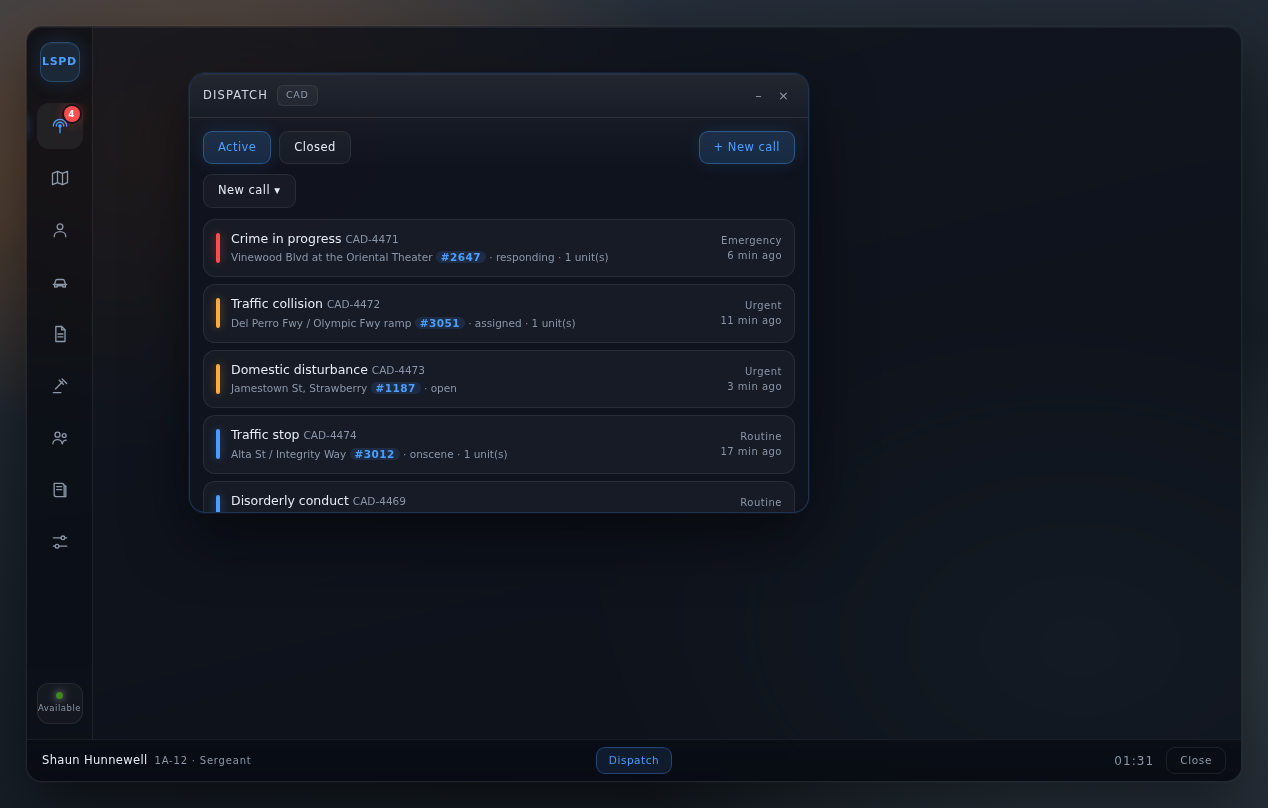
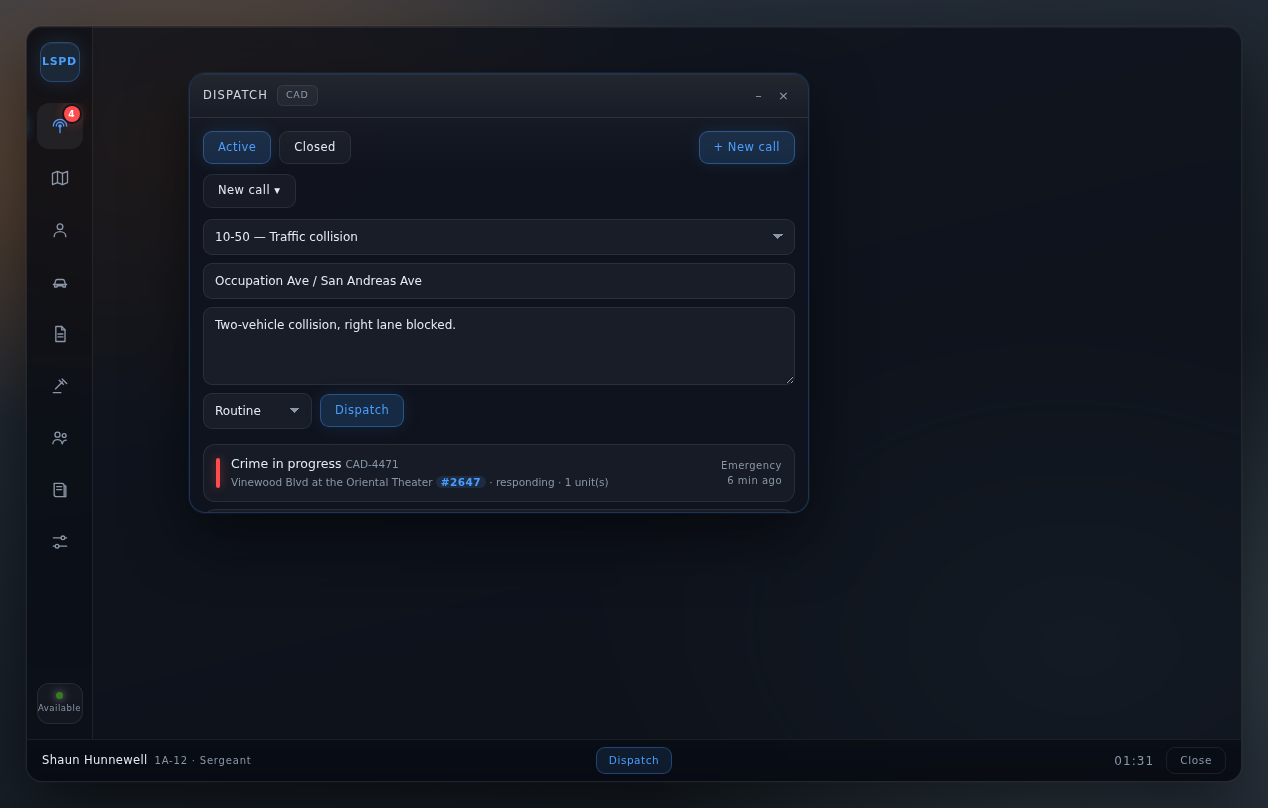
Dispatch
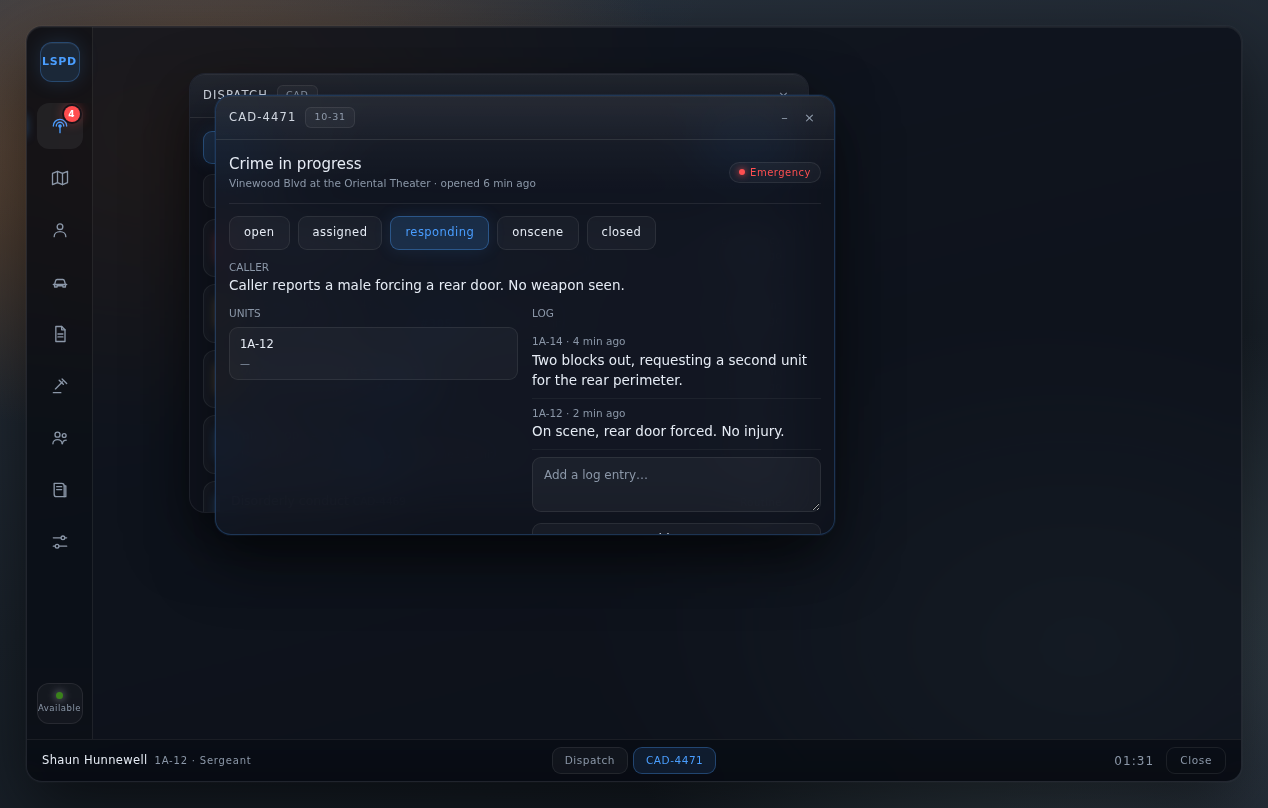
Create calls, assign units, move them through responding → on scene → closed, and keep a timestamped log on each one.
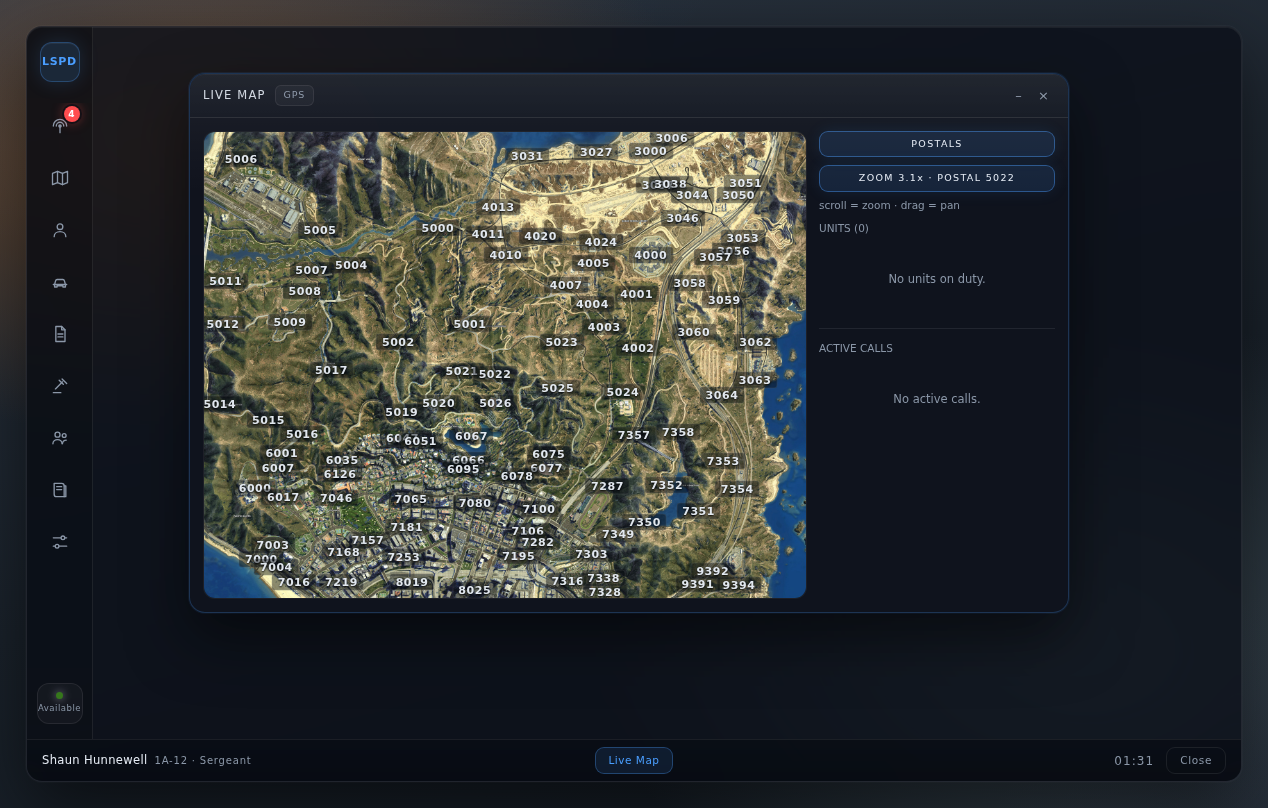
Live Map
On-duty units plotted from telemetry with status, speed and zone. Open calls as markers. Cursor-anchored zoom over a postal-code overlay.
Records
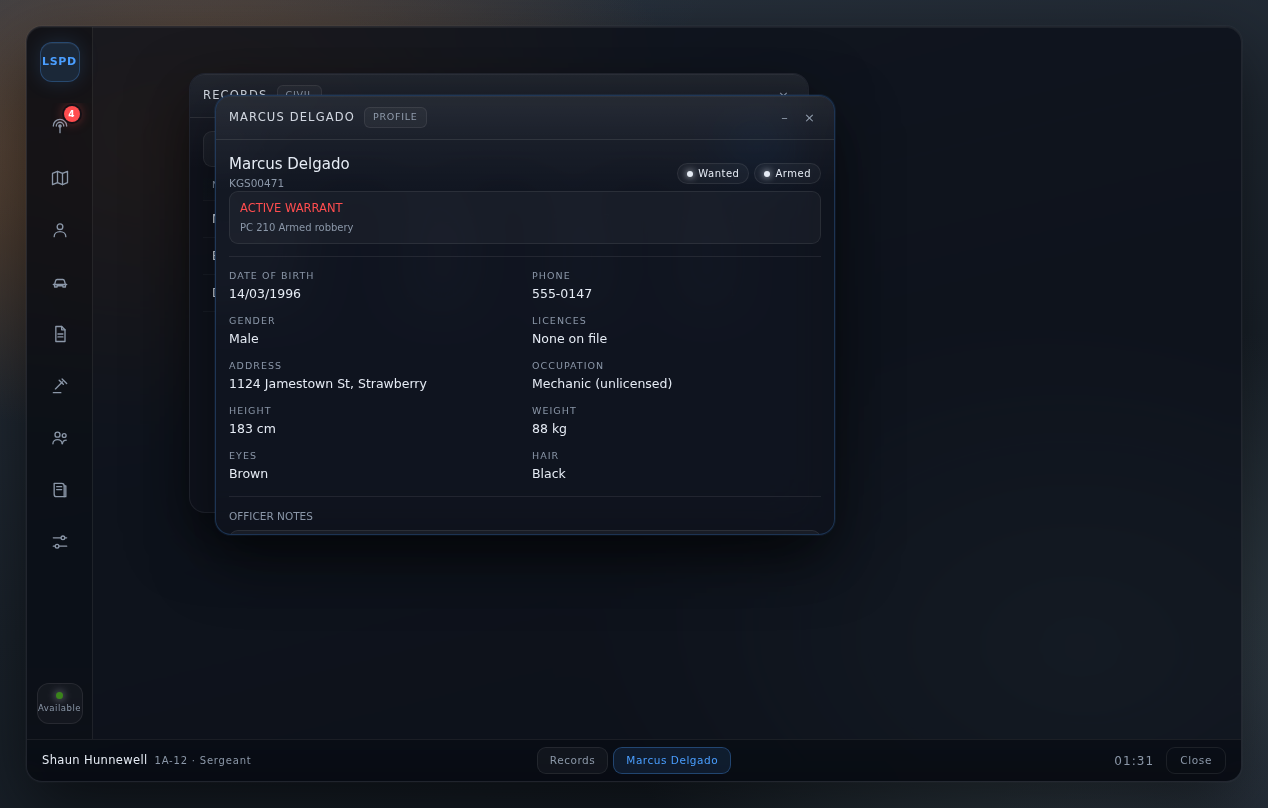
Citizen search and full profile: identity, licences, flags, active warrants, vehicles on record, priors and officer notes.
Vehicles
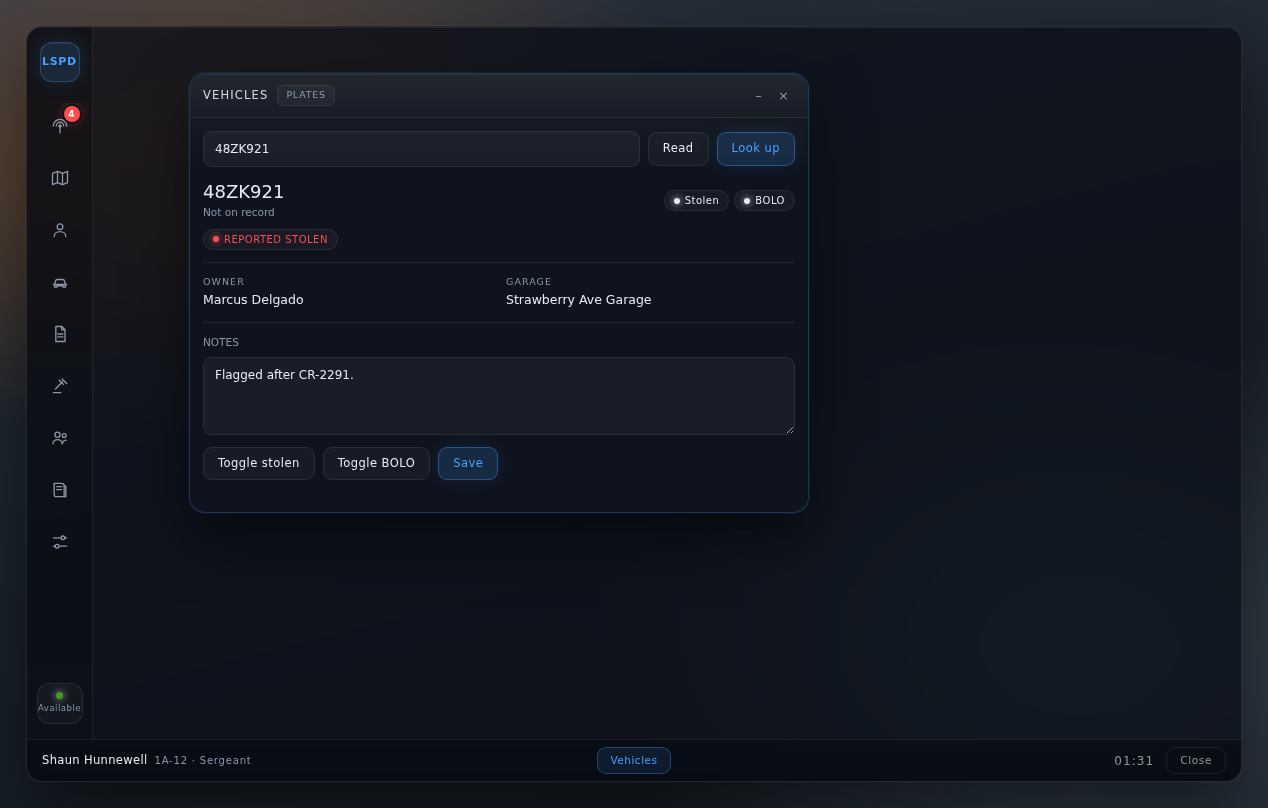
Plate lookup with owner and garage, stolen and BOLO flags, and a read-the-plate-in-front-of-you button so nobody mis-hears a plate over radio.
Reports
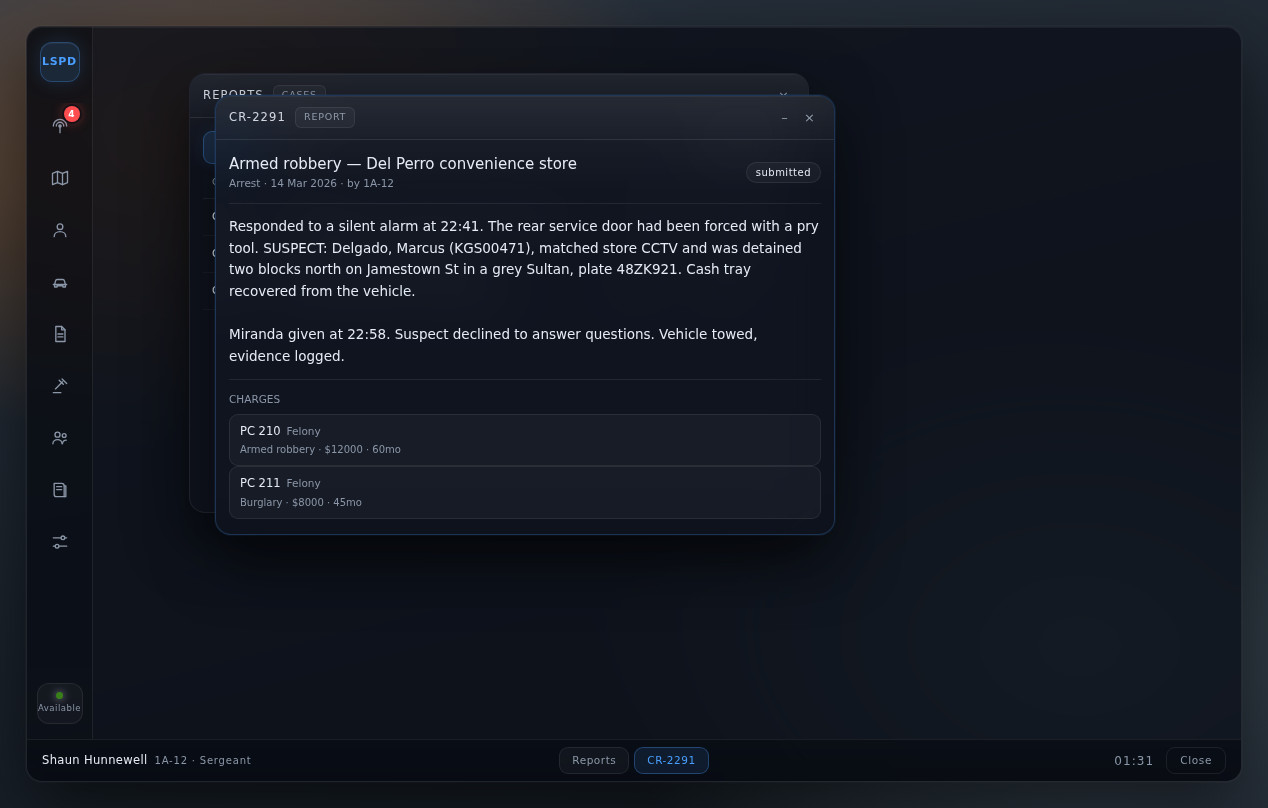
Case numbers, narrative, and charges picked from the penal code — so the wording on a report always matches the statute.
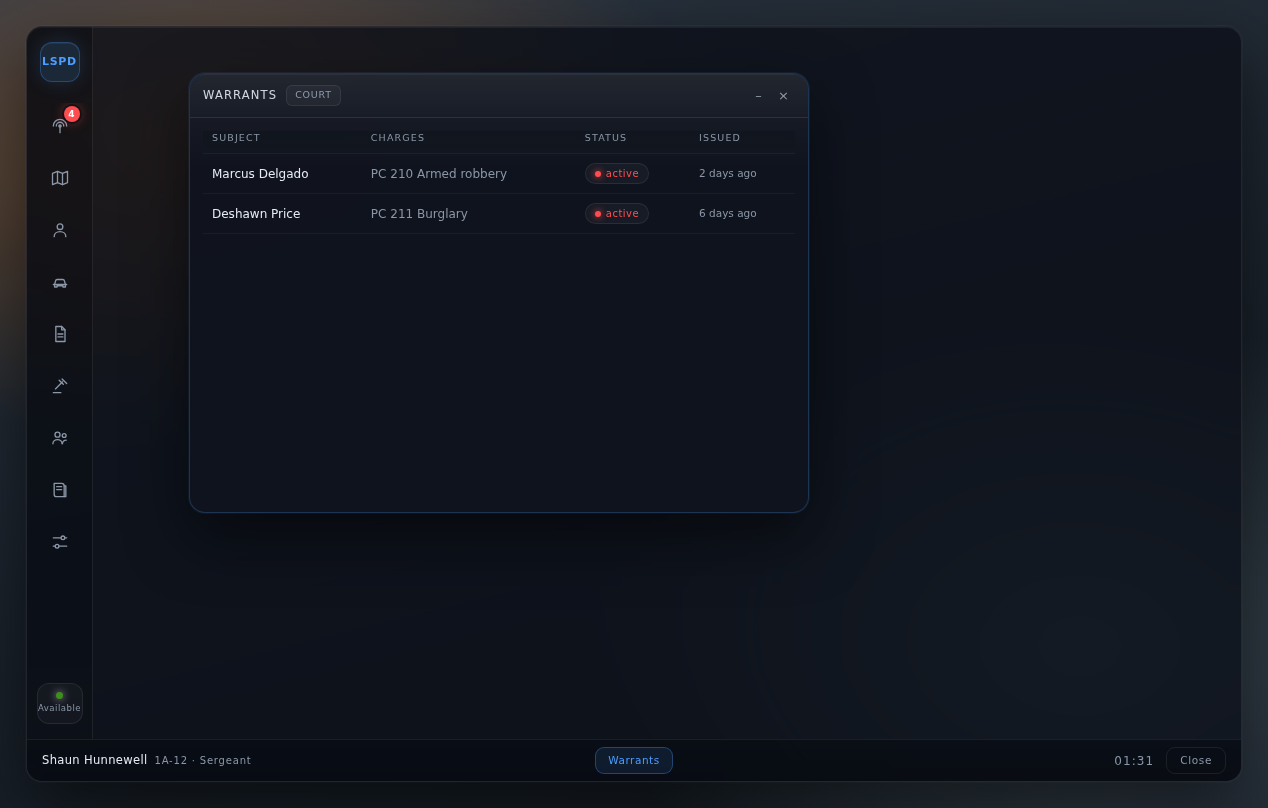
Warrants
Issue from a profile, void from the list, and flagged on the profile it belongs to — so a name check surfaces it without anyone remembering to look.
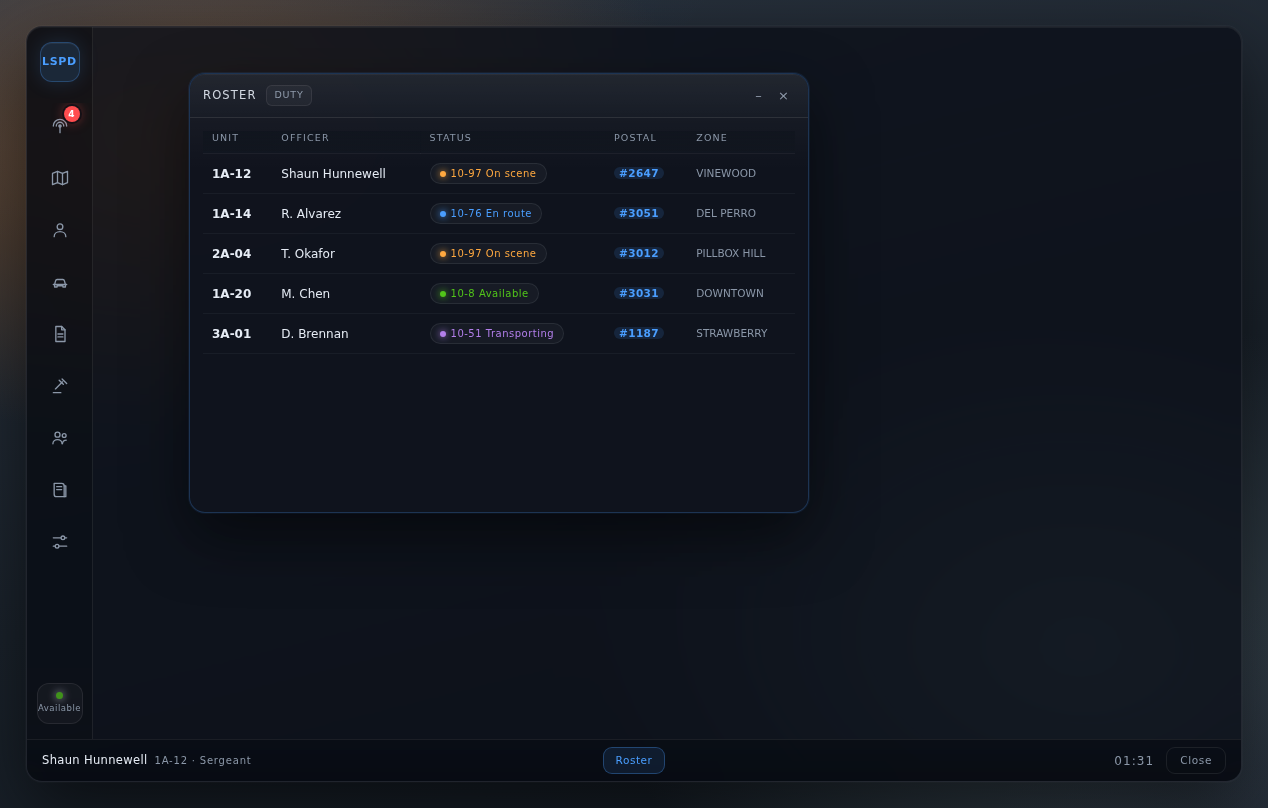
Roster
Who is on duty, their callsign, status, postal and zone — the same telemetry that drives the map.
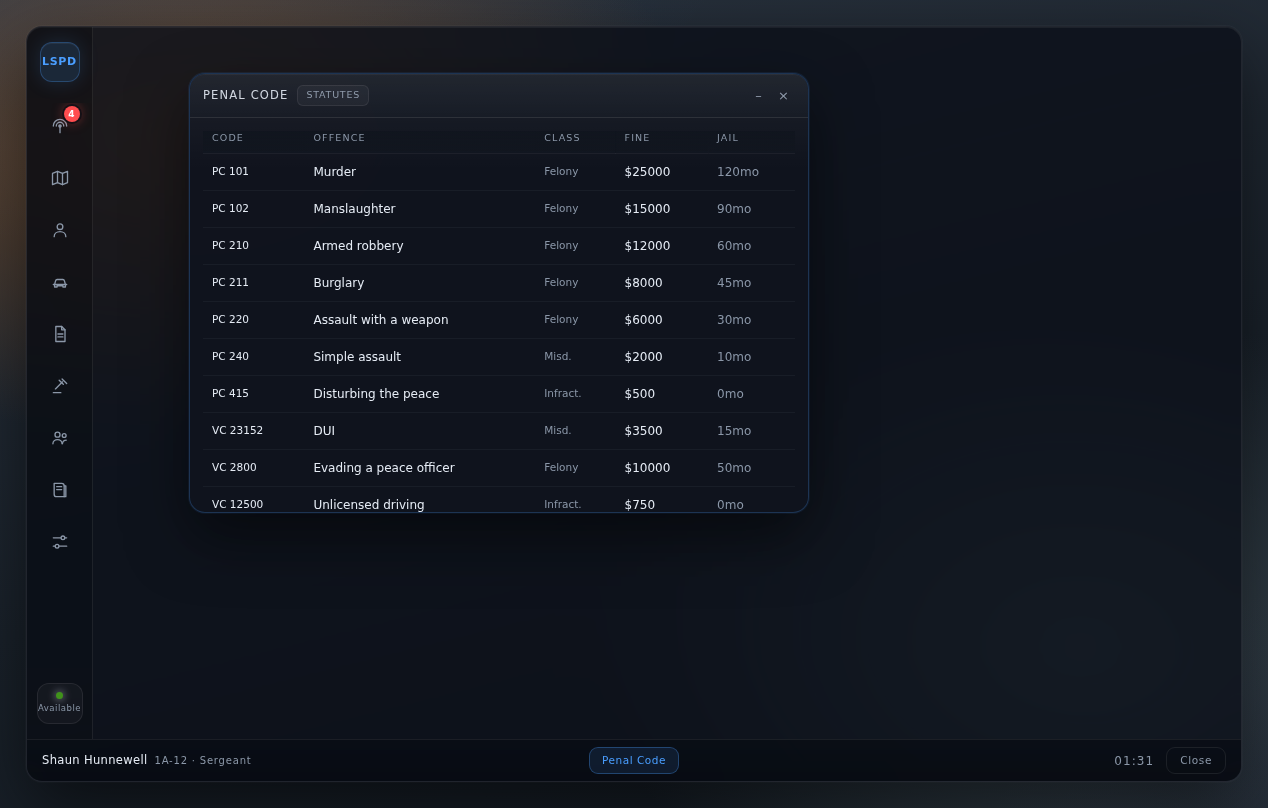
Penal Code
The statute list, searchable, straight out of config. Fines and jail time included.
Screens
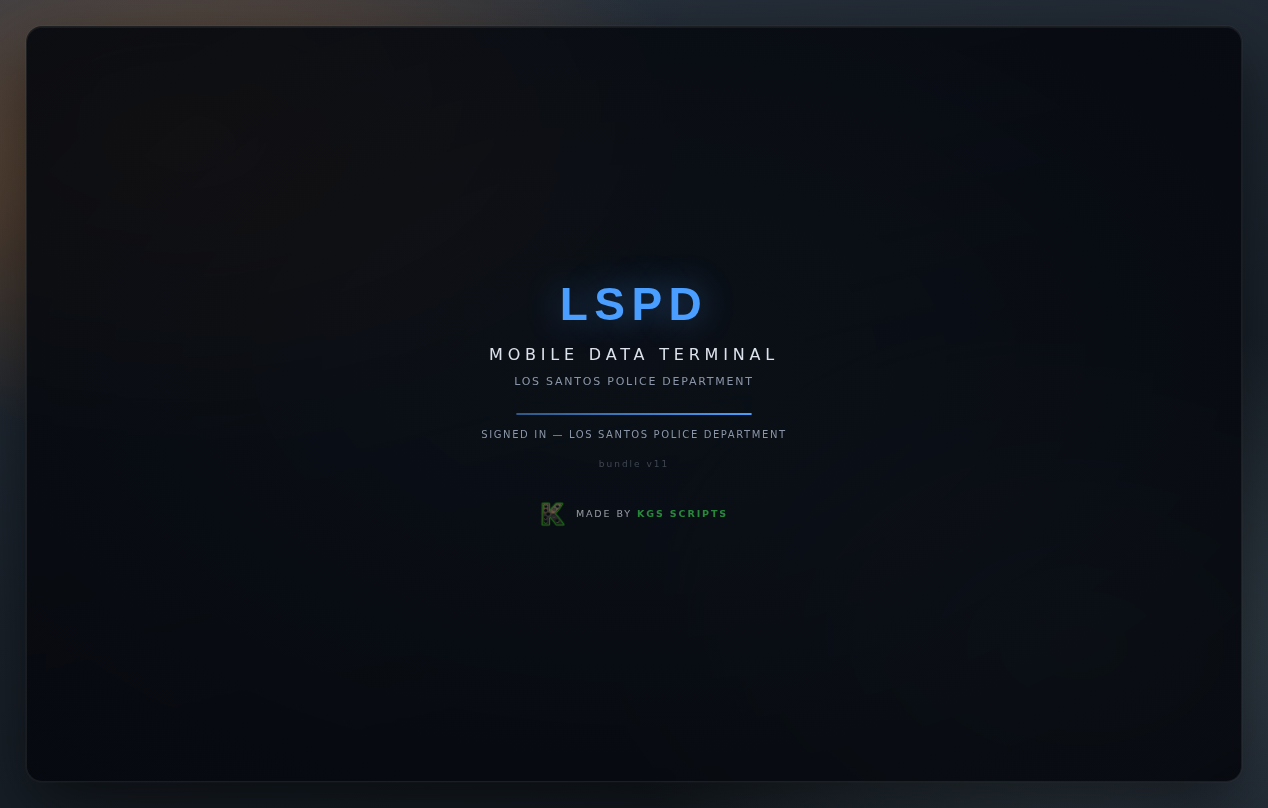
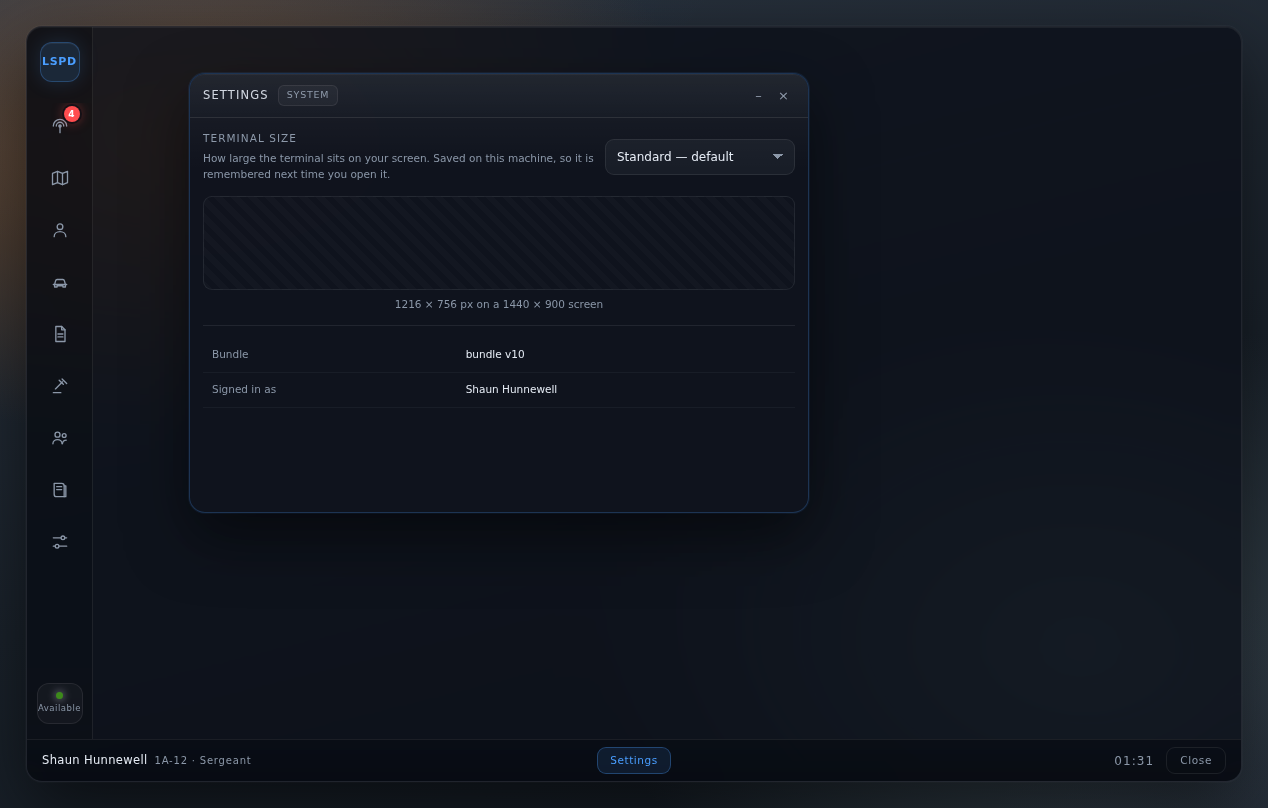
Captured from the shipped UI, not mockups — the call types, codes and statuses you see are read out of the resource's own config.
Built so it can be trusted
The parts you do not see in a screenshot, and the parts that matter the first time something is disputed.
The client is never trusted
Every callback re-resolves the player from their server source and re-checks job, grade and duty. A packet that claims to be the warrant desk changes nothing.
Illegal transitions are refused
The call state machine defines exactly which moves are legal and treats closed as terminal, so a client cannot invent a legal-looking path.
Everything mutating is audited
Who issued a warrant, who closed a call, who looked up whom — written to mdt_audit as it happens.
Framework tables stay read-only
The MDT reads players and owned_vehicles and never writes them. Its own facts live in mdt_*, so a framework update cannot collide with them.
Telemetry is memory-first
Position pings are held in memory and flushed on a slow timer, with throttled fan-out. Ten units pinging twice a second does not become fifty events a second.
Config, not code
Call types, penal codes, statuses, flags, grades, colours and the device prop are all in one config.lua.
Install
Needs FiveM with QBCore and oxmysql. Nothing else.
- Drop the folder into
resources/— e.g.[qb]/kgs-mdt. - Create the tables (idempotent — re-running is always safe):
mysql -h HOST -u USER -p DBNAME < sql/install.sql - Add to
server.cfg, afterqb-coreandoxmysql:ensure kgs-mdt - Restart, then
/mdtwhile on duty in a police job.
No config change is needed to start — police and
ambulance are wired up out of the box. The map background is the
one optional asset: drop any GTA V map render at
html/map/satellite.jpg and the projection is already correct for
the standard map. Without it, the map falls back to a coordinate grid and
everything else still works.
Documentation
How to use it
Every screen with screenshots: opening the terminal, working a call, lookups, reports, the map, terminal size, access levels and troubleshooting.
Commands
/mdt or /cad opens the terminal, F6 is the default keybind, /postal tells you the postal you are standing in, and Escape always closes it.
Regenerating the screenshots
The images on this page and in the guide are generated from the real UI by tools/guide_preview.py and tools/guide_shots.sh, so they cannot drift.