OneLock
Coming soon to Google Play

ONELOCK

// lock it down. leave it locked.

OneLock blocks and locks the apps you choose โ€” distractions, games, in-app purchases, anything โ€” with a network-level blocking engine that keeps working while the phone is in use. No root required.
Lock anything. Bypass nothing.

Built for parents, focus, and anyone who keeps reinstalling the apps they swore off.

๐Ÿšซ App blocking Pick which apps get locked. A VPN-based engine keeps them blocked at the network level โ€” no root, no hacks.
๐Ÿ”’ Real lock screen Blocked apps are stopped cold with a lock overlay. Device-admin protection stops uninstall or disable from getting around it.
๐Ÿ“ž Call screening Screen incoming calls and cut off spam callers before the phone ever rings through.
๐Ÿง’ Parental control Keep kids on task โ€” block games and videos during homework, and know the locks can't be bypassed from the phone.
OneLock featured graphic

Straight from the phone

The actual app on Android โ€” no mockups, no stock art.

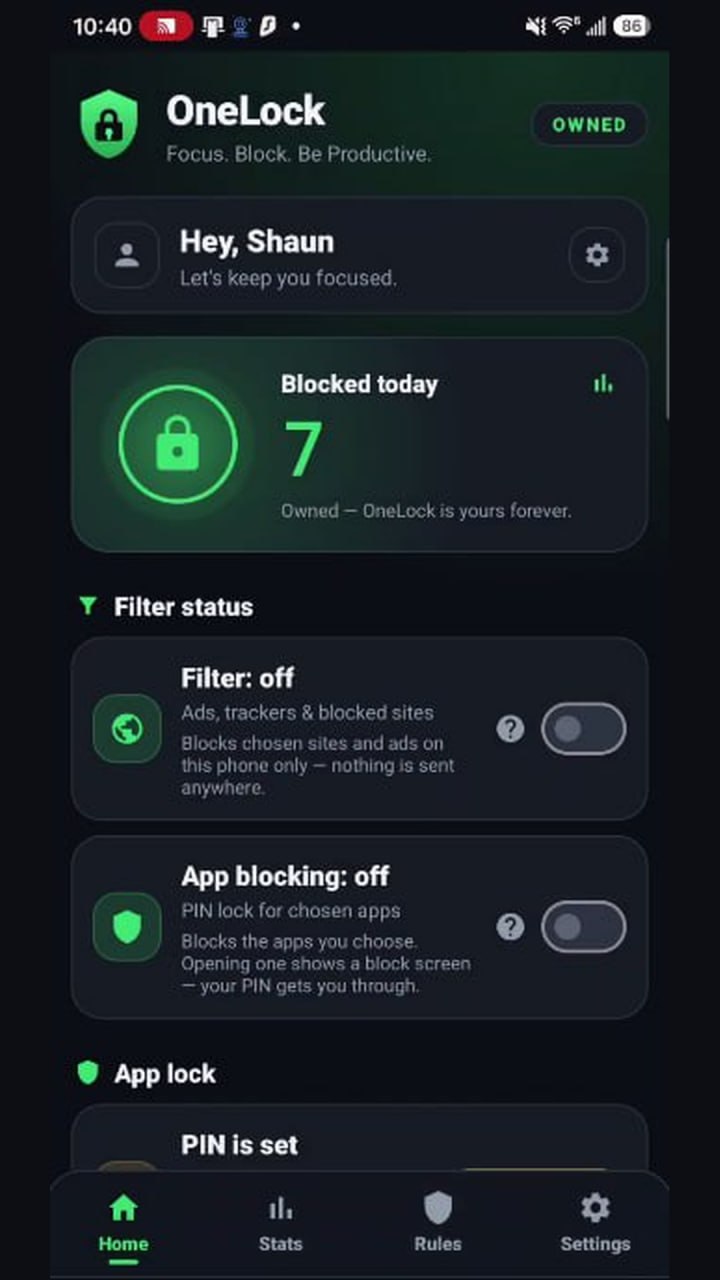
OneLock home dashboard
Home
See what's blocked today at a glance โ€” plus filter status and your permanent Owned license.
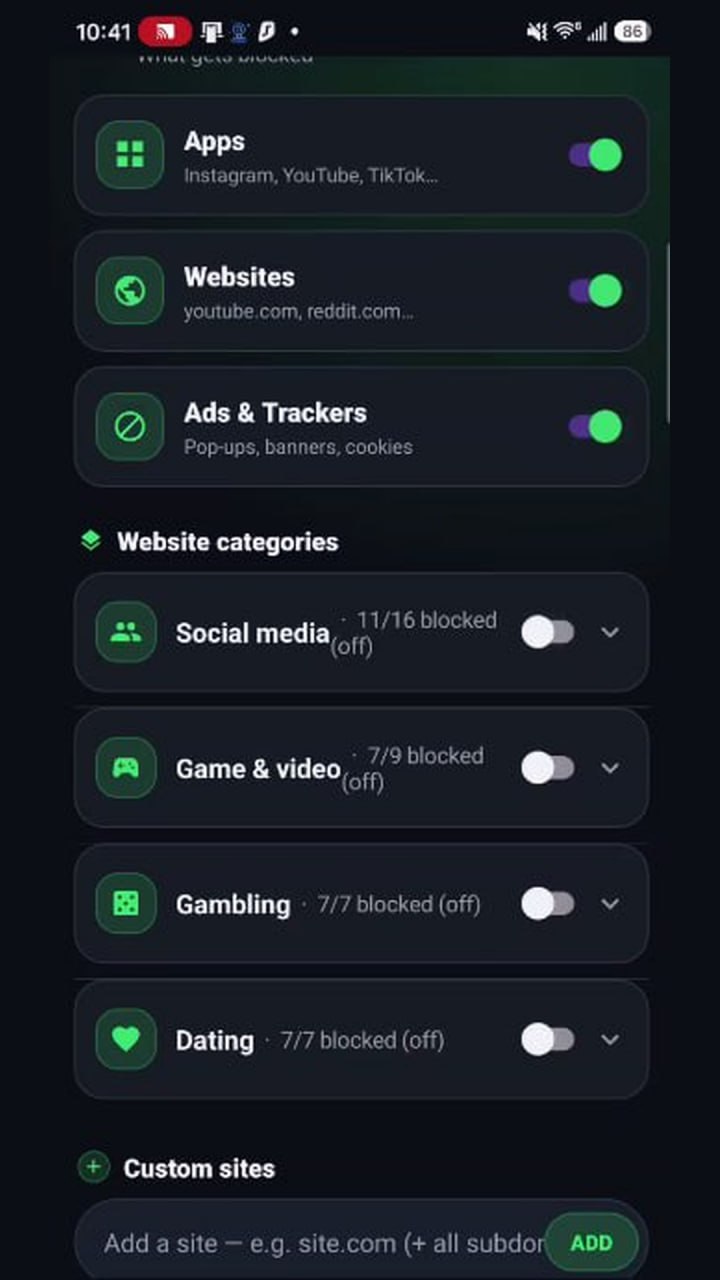
Blocking rules
Blocking rules
Block apps, websites, ads & trackers โ€” or whole categories like social media, gambling and dating in one tap.
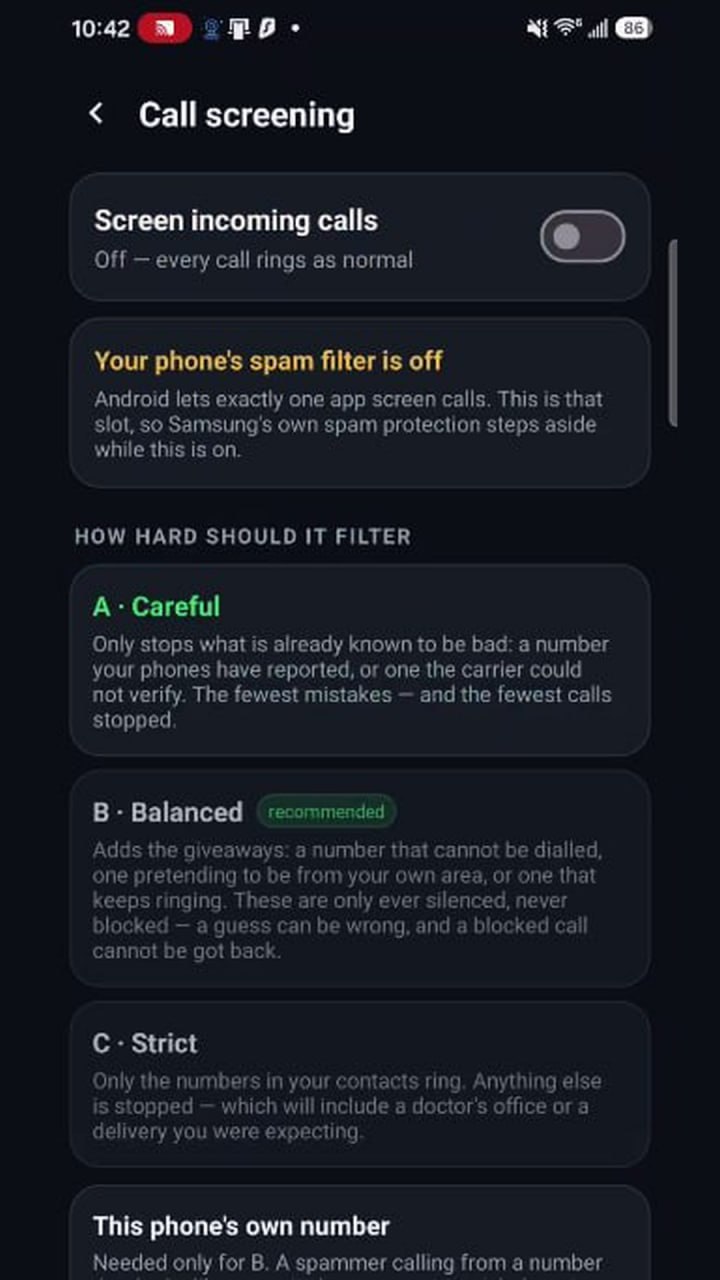
Call screening
Call screening
Silence spam and scam calls with three filter levels โ€” from careful to contacts-only strict.
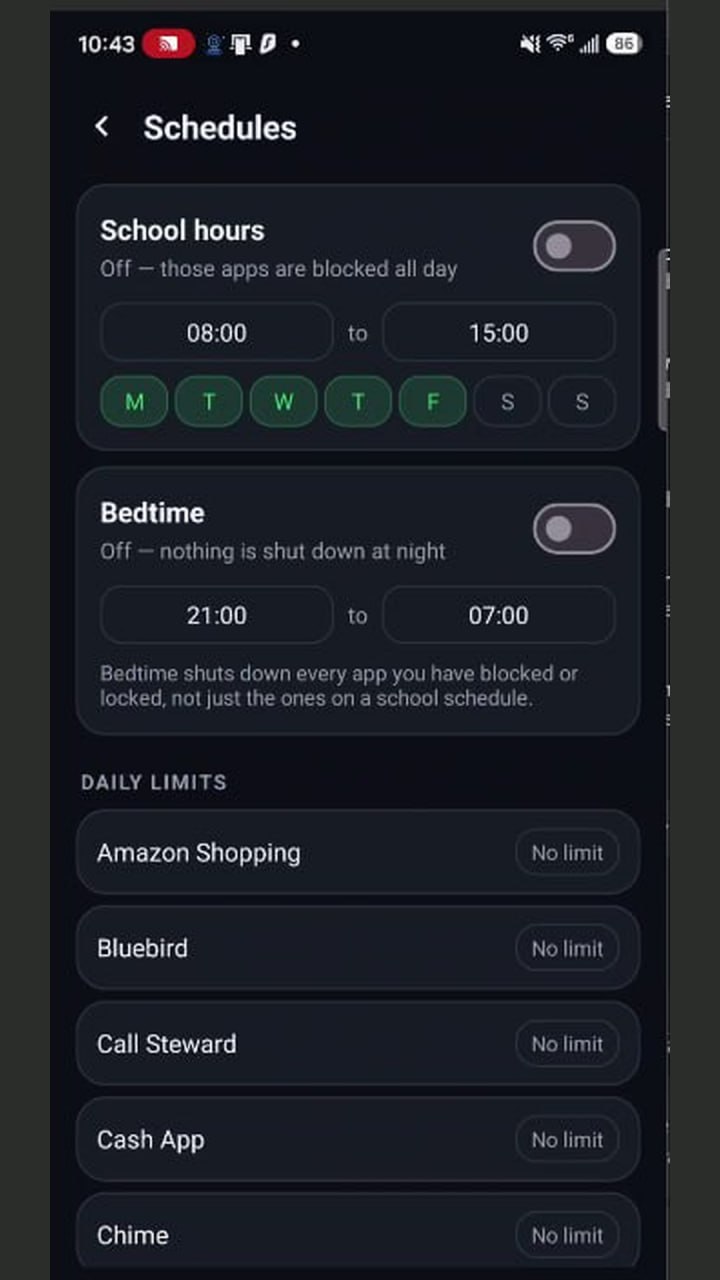
Schedules
Schedules
School hours and bedtime that lock blocked apps automatically, plus per-app daily limits.
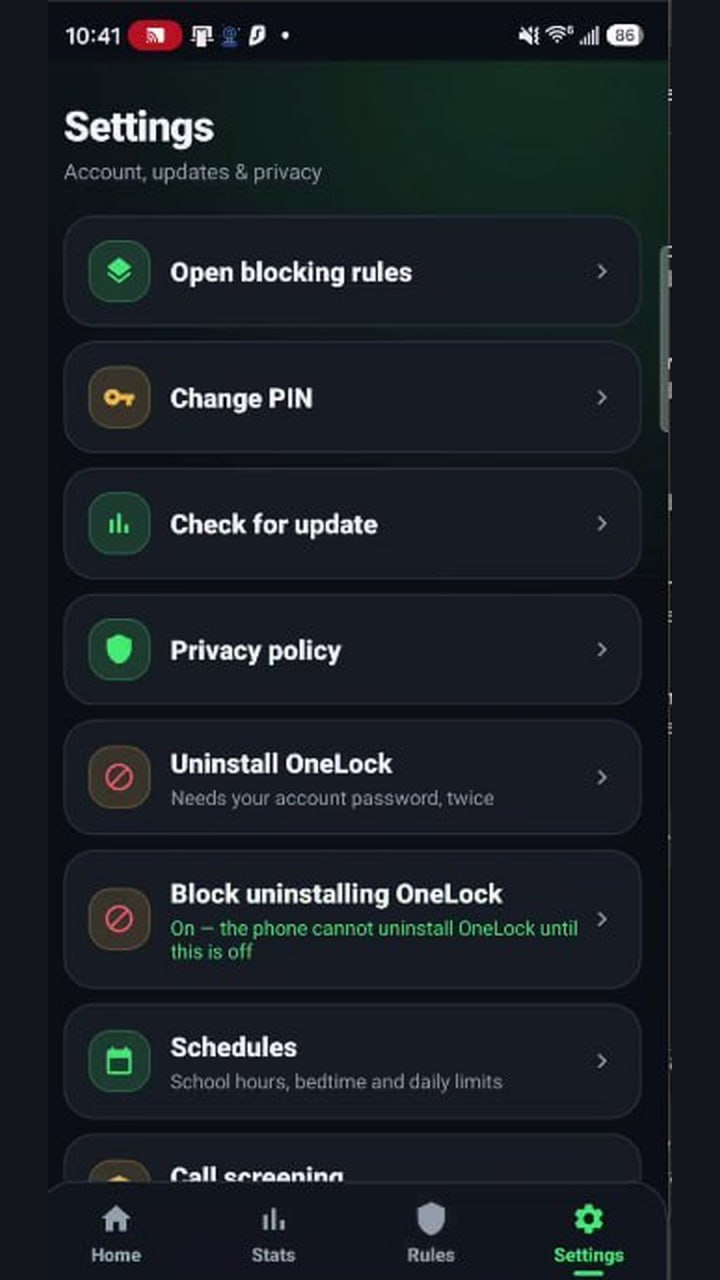
Settings
Settings
PIN-protected uninstall lock keeps the protection on โ€” kids can't just switch it off.

One switch per app

Tap a row, lock it, done. Everything else just works.

YouTubeLOCKED
TikTokLOCKED
Discordopen
Play StoreLOCKED
Messagesopen
OneLock โ€” app protection